
Creating a welcoming environment for guests in your smart home is now easier than ever. With Home Assistant Guest Mode Automation, you can customize their experience while ensuring your privacy and security. This article will guide you through setting up a smart guest mode using Home Assistant, focusing on granting temporary access, configuring guest-specific automations, and maintaining a secure environment.
By implementing these strategies, you can provide a seamless and comfortable stay for your visitors. It’s about making your guests feel at home without compromising your home’s security or your personal preferences.
Ready to transform your home into a smart guest haven? Let’s explore the steps to create an efficient and secure Home Assistant Guest Mode Automation.
Setting Up a Dedicated Guest User Account
The first step in creating a smart guest mode is to set up a dedicated user account within Home Assistant. This ensures that your guests only have access to the functionalities you want them to use, enhancing both convenience and security.
Start by navigating to the “Configuration” panel in Home Assistant, then select “Users”. Click on the “Add User” button and create a new account specifically for guests.
Give the user a simple, recognizable name like “Guest” or “Temporary User”. Set a temporary password that you can easily share with your visitors upon their arrival.
Next, define the permissions for this user. You’ll want to limit access to essential functions such as controlling lights, adjusting the thermostat, and perhaps operating the entertainment system.
Avoid granting administrative privileges or access to sensitive data like security camera feeds or system settings. This prevents any accidental or intentional tampering with your home’s core configurations.
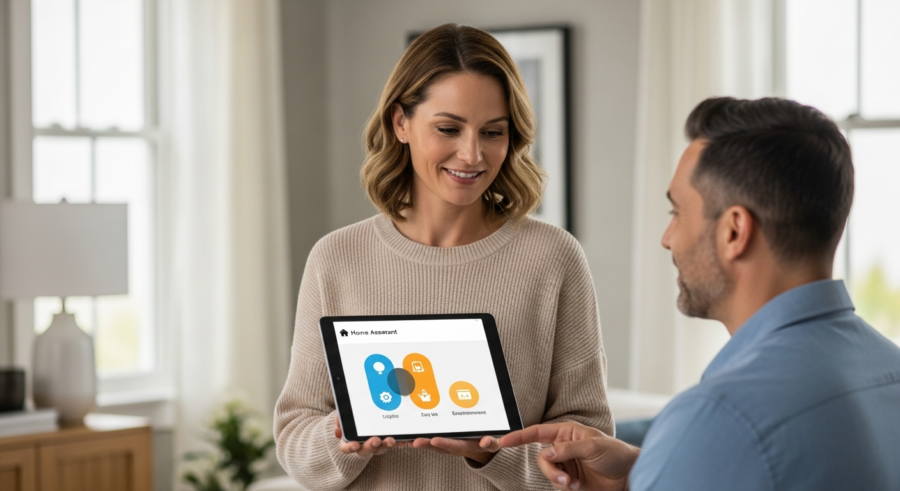
Consider creating a separate “Guest” area within your Home Assistant interface. This can be achieved by creating a new view or dashboard specifically tailored for guest use.
Populate this view with only the entities that guests need to interact with, such as light controls for the guest room, thermostat settings, and perhaps a media player control. This simplifies the interface and prevents guests from getting overwhelmed by unnecessary options.
Remember to clearly communicate the purpose and limitations of this account to your guests. A simple welcome message displayed on the guest dashboard can explain which devices they can control and how to use them.
Automating Guest Access with Smart Locks
Integrating smart locks into your Home Assistant Guest Mode Automation provides a secure and convenient way to grant guest access to your home. With smart locks, you can eliminate the need for physical keys and easily manage temporary access codes.
Start by ensuring your smart lock is compatible with Home Assistant. Most major brands like Schlage, Yale, and August offer integrations that allow you to control and monitor the lock’s status directly from your Home Assistant interface.
Once integrated, you can create automations that generate a unique temporary access code when a guest is expected. This code can be set to activate at a specific time and expire automatically after their stay, enhancing security.
Consider using a template sensor to generate a random, secure code. This code can then be pushed to the smart lock via Home Assistant’s service calls.
To notify your guests of their access code, you can create an automation that sends a text message or email containing the code and instructions for use. This message can be triggered automatically when the code is generated, streamlining the check-in process.
Additionally, you can monitor the lock’s activity to ensure it is functioning correctly and to receive alerts if there are any unauthorized access attempts. Home Assistant can log all lock events, providing a detailed audit trail of who accessed the property and when.
For added convenience, you can integrate the smart lock with your calendar. This allows Home Assistant to automatically generate and activate guest codes based on booking dates and times, perfect for rental properties or frequent visitors.
By automating guest access with smart locks, you not only enhance security but also provide a seamless and modern experience for your visitors. The ability to manage access remotely and generate temporary access codes eliminates the hassle of physical keys and ensures peace of mind.
Configuring Guest-Specific Automations
Tailoring your home’s automations to accommodate guests can significantly enhance their comfort and convenience. With Home Assistant Guest Mode Automation, you can create specific routines that activate when a guest arrives and deactivate when they leave.
These automations can range from simple adjustments like setting the thermostat to a comfortable temperature to more complex scenarios like activating a “welcome scene” that turns on lights and plays soothing music.
| Automation Trigger | Action | Condition |
|---|---|---|
| Smart Lock Unlock with Guest Code | Activate “Guest Welcome” Scene | Time is between 6 AM and 10 PM |
| Guest User Logs In | Set Thermostat to 72°F | Guest Room Occupancy is Detected |
| Guest User Logs Out | Deactivate “Guest Mode” | No Other Users are Logged In |
| Smart Lock Locked with Guest Code | Turn Off Guest Room Lights | Time is between 10 PM and 6 AM |
Consider using presence detection to trigger these automations. By monitoring when the guest user logs into Home Assistant or connects to your Wi-Fi network, you can automatically activate guest-specific routines.
Integrating Smart Lighting for Guest Comfort
Smart lighting can play a significant role in enhancing guest comfort and convenience within your smart home. With Home Assistant Guest Mode Automation, you can create lighting scenes and automations specifically tailored to your guests’ needs.
Start by installing smart bulbs or switches in the guest room and any other areas your guests will frequent. Popular options include Philips Hue, LIFX, and Lutron Caséta, all of which integrate seamlessly with Home Assistant.
Create a “Guest Welcome” scene that activates when your guests arrive. This scene can set the lights to a warm, inviting color temperature and brightness level, creating a welcoming atmosphere.
Consider adding a “Night Mode” scene that dims the lights to a low level, perfect for late-night reading or navigating the house without disturbing others. This scene can be easily activated via a button on the guest dashboard or through voice commands.
Automate the lights to turn on automatically when motion is detected in the guest room or hallway. This provides added convenience and safety, especially for guests who are unfamiliar with the layout of your home.
You can also integrate smart lighting with your smart lock. When the smart lock is unlocked with a guest access code, the lights in the entryway and guest room can automatically turn on, welcoming your guests as they enter.
For added personalization, consider allowing guests to control the lights themselves via the Home Assistant interface or voice commands. This gives them the flexibility to adjust the lighting to their preferences.
By integrating smart lighting into your Home Assistant Guest Mode Automation, you can create a comfortable and convenient environment for your guests. The ability to customize lighting scenes and automate lighting behavior enhances their overall experience and makes them feel more at home.
Providing Guests with Voice Control Access
Granting your guests voice control access can significantly enhance their experience and make your smart home even more intuitive. With Home Assistant Guest Mode Automation, you can enable voice commands for essential functions, allowing your guests to control lights, adjust the thermostat, and more using just their voice.
To enable voice control, you’ll need to integrate Home Assistant with a voice assistant platform like Google Assistant or Amazon Alexa. Both platforms offer integrations that allow you to control your Home Assistant devices and automations using voice commands.
Once integrated, you can create voice commands specifically for your guests. For example, you can set up commands like “Hey Google, turn on the guest room lights” or “Alexa, set the thermostat to 72 degrees”.
Consider using custom sentences to make the voice commands more natural and intuitive. Instead of requiring guests to say “Turn on the guest room lights”, you can set up a command like “Make it brighter in here”.
To ensure security, you can restrict voice control access to only the guest user account. This prevents guests from controlling devices or automations outside of their designated area.
You can also create a “Guest Mode” voice command that activates a series of automations specifically designed for guests. For example, saying “Hey Google, activate Guest Mode” could turn on the guest room lights, set the thermostat to a comfortable temperature, and play relaxing music.
For added convenience, consider placing a smart speaker in the guest room. This allows guests to easily control their environment without having to use their own devices.
By providing guests with voice control access, you can make your smart home even more convenient and intuitive. The ability to control essential functions using just their voice enhances their overall experience and makes them feel more comfortable and at home.
Automating Guest Mode Deactivation
Ensuring that your Home Assistant Guest Mode Automation deactivates automatically after your guests leave is crucial for maintaining security and privacy. You don’t want guest access lingering longer than necessary.
There are several ways to automate this process, depending on your setup and preferences. One common method is to use the expiration of the temporary access code on your smart lock as a trigger.
- Monitor smart lock activity for code expiration
- Detect guest user logging out of Home Assistant
- Use a timer that expires after the guest’s departure date
- Combine multiple triggers for increased reliability
- Send a notification to confirm deactivation
When the code expires, Home Assistant can automatically disable the guest user account, revert any guest-specific settings (like thermostat adjustments), and deactivate any guest-related automations. This ensures that your home returns to its default state without any manual intervention.
Optimizing Thermostat Settings for Guest Comfort
Maintaining a comfortable temperature is essential for ensuring your guests have a pleasant stay. With Home Assistant Guest Mode Automation, you can optimize thermostat settings to meet their needs while also conserving energy.
Start by integrating your smart thermostat with Home Assistant. Popular options include Nest, Ecobee, and Honeywell, all of which offer integrations that allow you to control and monitor the thermostat’s settings directly from your Home Assistant interface.
Create an automation that sets the thermostat to a comfortable temperature when a guest arrives. This can be triggered by the activation of the guest user account or the unlocking of the smart lock with a guest access code.
Consider creating different temperature profiles for different times of day. For example, you can set the thermostat to a warmer temperature during the day and a cooler temperature at night to optimize comfort and energy efficiency.
Allow guests to adjust the thermostat themselves via the Home Assistant interface or voice commands. This gives them the flexibility to customize the temperature to their preferences.
Implement occupancy detection to automatically adjust the thermostat based on whether the guest room is occupied. When no one is in the room, the thermostat can be set to a more energy-efficient setting, conserving energy without sacrificing comfort.
Integrate the thermostat with your calendar to automatically adjust the temperature based on booking dates and times. This is especially useful for rental properties or frequent visitors.
By optimizing thermostat settings for guest comfort, you can create a welcoming and comfortable environment for your visitors. The ability to customize temperature profiles and automate thermostat behavior enhances their overall experience and makes them feel more at home.
Ensuring Guest Privacy and Security
Protecting your guests’ privacy and security is paramount when implementing a Home Assistant Guest Mode Automation. It’s essential to create a system that respects their personal space and data while still providing a convenient and comfortable experience.
First and foremost, be transparent with your guests about the smart home features you have in place. Let them know which devices are equipped with cameras or microphones and explain how their data is being used.
Avoid placing cameras in private areas such as bedrooms or bathrooms. If you have cameras in common areas, inform your guests of their presence and purpose.
Limit the amount of personal data you collect from your guests. Only collect the information that is necessary for providing them with access to your smart home, such as their name and contact information.
Secure your Wi-Fi network with a strong password and consider creating a separate guest network. This prevents guests from accessing your personal devices and data.
Regularly update your Home Assistant software and integrations to patch any security vulnerabilities. This helps protect your smart home from potential attacks.
Use strong passwords for all of your smart home accounts and enable two-factor authentication whenever possible. This adds an extra layer of security to your system.
By prioritizing guest privacy and security, you can create a smart home environment that is both convenient and respectful. This ensures that your guests feel comfortable and safe during their stay.
Conclusion
Implementing a Home Assistant Guest Mode Automation is a fantastic way to enhance the experience for your visitors while maintaining control over your smart home. By setting up dedicated user accounts, automating access with smart locks, and configuring guest-specific automations, you can create a welcoming and secure environment.
Remember to prioritize guest privacy and security by being transparent about your smart home features and limiting the amount of personal data you collect. With a little planning and effort, you can transform your home into a smart guest haven that everyone will enjoy.