
Home Assistant gives you a lot of power, but that power can bite you when the same automation fires twice in a row. The setting that decides whether that second trigger runs, waits, or bulldozes the first run is called home assistant automation modes.
If you have ever watched lights flicker, a notification spam your phone, or a lock command fire twice, you have already met the problem. Most of the time, the issue is not your YAML logic, it is how overlapping runs collide.
This article explains Single, Restart, Queued, and Parallel in plain terms, with the tradeoffs spelled out. I will also show how max runs home assistant interacts with these modes when your house gets noisy.
Why automation mode matters (and the problems it prevents)
Every Home Assistant automation is a little program that can run for milliseconds or for minutes. If it is still running when a new trigger arrives, Home Assistant has to decide what to do with that new run.
That decision is the automation mode, and it is the difference between predictable behavior and a house that feels haunted. When people complain about random behavior, it is often automation race conditions, not flaky Zigbee.
A race condition shows up when two runs read and write the same entity in a different order each time. One run turns a light on while the other turns it off, and whichever writes last wins.
Mode also changes how delays behave, which is where many automations get long lived. A 10 minute delay makes the automation “still running,” so a second trigger can collide with that delay in ways you did not expect.
When you choose automation mode well, you reduce weirdness without adding extra helpers or input_booleans. You also avoid building complex “anti spam” logic that only exists to paper over the wrong mode.
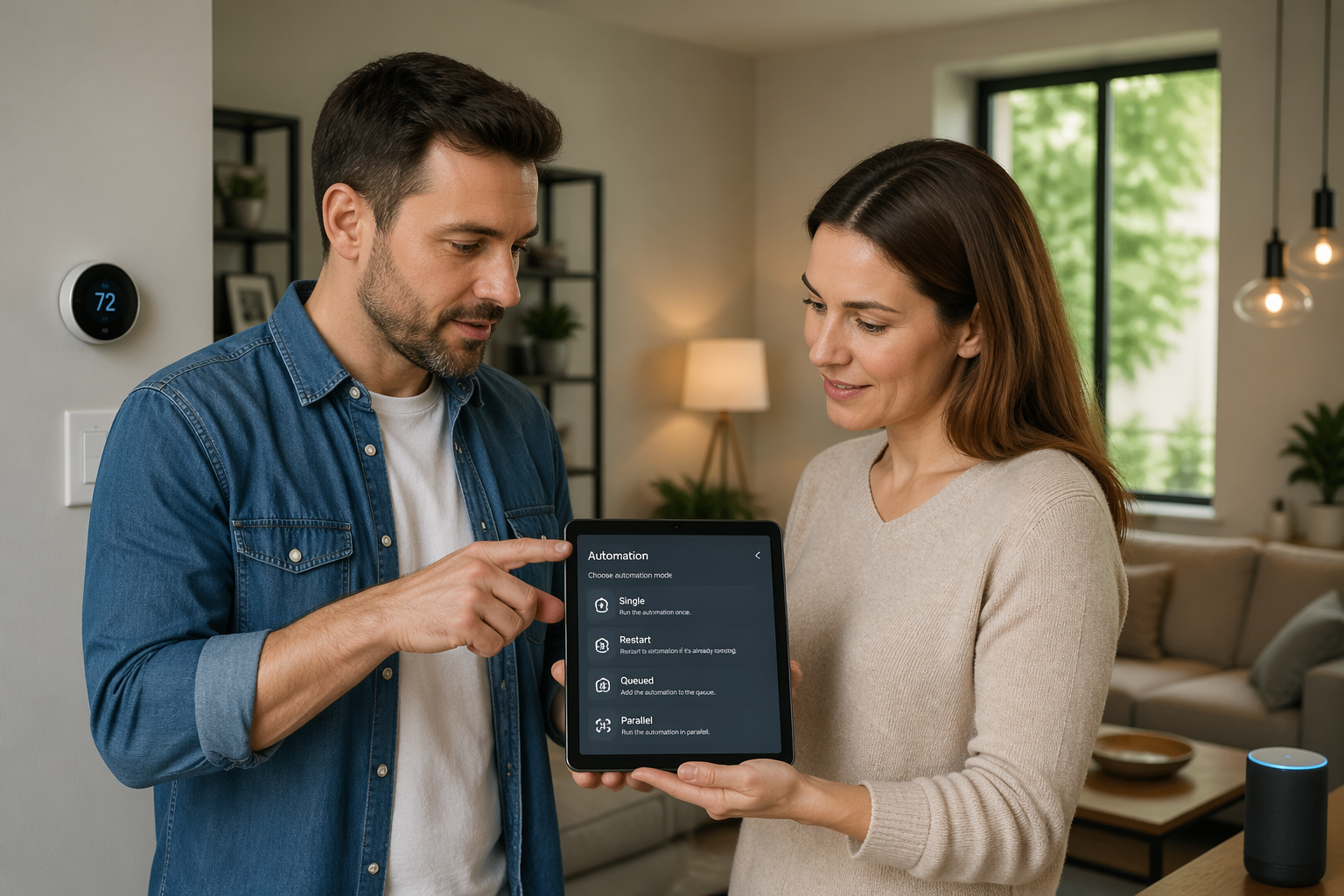
It also matters because Home Assistant does not assume your intent, it just follows rules. If your automation is triggered by motion, door sensors, and time patterns, you are basically inviting overlap unless you pick a mode on purpose.
Overlapping runs are not rare edge cases, they are normal in a busy house. A family walking through a hallway can generate multiple motion events, and a single door can generate open, close, and tamper events within seconds.
Another common issue is the “late write,” where an older run finishes after a newer run and overwrites the newer state. This is why a light sometimes turns off right after you turned it on, even though the log shows the right actions.
Automation mode is also a performance choice because each run consumes a little CPU time and a lot of attention when you debug. If you accidentally allow a flood of parallel runs, you can create a storm of service calls that makes everything feel sluggish.
Finally, mode is part of safety for automations that control locks, alarms, and garage doors. You want those actions to be predictable, not dependent on which trigger happened to arrive while a previous run was waiting on a delay.
Single mode: when “ignore new triggers” is the right choice
Single mode means the first run wins and every new trigger while it is running gets ignored. Think of it as “do nothing if I am already busy.”
This is perfect for actions that must not repeat, like calling a script that arms an alarm panel or sending a one time “door left open” alert. If the door sensor chatters, Single keeps your phone from turning into a siren.
Single is also a good default when you are unsure, because it fails quietly instead of multiplying side effects. The downside is obvious, you can miss a legitimate second event that arrives during a long delay.
If you use Single with delays, keep those delays short or move the long waiting into a separate timer helper. Otherwise you will wonder why the automation “sometimes” does not run, when it is actually running and ignoring you.
Single is the mode I pick when the automation is a guardrail, not a continuous controller. If the automation is meant to react to every event, Single is usually the wrong tool.
Single mode shines when the action is expensive or disruptive, like taking camera snapshots or starting a vacuum. If your doorbell trigger fires twice, you probably do not want two camera recordings and two cloud uploads fighting each other.
It is also great for “do this once per incident” logic, like a water leak alarm that should notify you, turn off a valve, and then stop. If the leak sensor continues to report wet, Single prevents a repeated loop of the same emergency actions.
Single is a quiet way to implement a cooldown without building one explicitly. You can add a short delay at the end, and any extra triggers during that window are ignored, which is sometimes all you need.
The trap is when you accidentally make the automation long lived with a big delay, a waitfortrigger, or a repeat loop. At that point Single becomes a blunt instrument that hides events instead of managing them.
If you find yourself adding longer and longer delays just to block spam, consider moving that spam control into conditions or a helper. Single should be a deliberate policy, not a bandage for noisy triggers.
Single also pairs well with idempotent actions, where running the same service call twice would not hurt but would be annoying. Turning on a scene once is fine, but turning it on repeatedly can cause visible flicker or repeated audio confirmations.
When you test Single mode, try triggering the automation twice during the longest part of its run. If the second trigger being ignored feels wrong, that is your sign that Single is not matching your intent.
Restart mode: how to keep automations responsive without chaos
Restart mode cancels the current run and starts over whenever a new trigger arrives. It is the “latest event wins” option, and it is great for motion lighting and presence logic.
The classic example is a hallway light with a 2 minute off delay after motion stops. With Restart, every new motion resets the countdown, so the light stays on while people keep moving.
Restart also helps when you have a choose block that depends on current state, because each new run re-evaluates the conditions. That makes the automation feel snappy instead of stuck in yesterday’s branch.
The danger is cancellation side effects, especially if you do cleanup work after a delay. If the cleanup never runs because you keep restarting, you can leave a fan on, a scene active, or an input_boolean stuck.
When I use Restart, I try to structure the automation so the “cleanup” is idempotent and can safely run later. If cleanup must happen, I move it into a separate automation that watches for the final state instead of relying on a delay.
Restart is also a good fit for dimming and brightness logic where the most recent command should override the previous one. If you rotate a dial quickly, you want the final brightness, not a queue of intermediate steps.
It can make presence-based automations feel more human because it adapts to what is happening now. If you arrive home and open the door, the “arrival” run should override the “away” run that was still waiting to finish.
Be careful with Restart when the automation performs multiple device actions that must all happen, like “turn off TV, then turn off receiver, then turn off lights.” A restart in the middle can leave you in a half-finished state that looks like a device bug.
Restart can also hide problems with chatty triggers because it constantly cancels itself instead of forcing you to address the noise. If you see a trace list full of canceled runs, that is a hint to add better trigger filters or conditions.
One practical pattern is to put the long delay at the end and keep the important actions at the top. That way, a restart mostly cancels waiting time, not the actions that actually matter.
Another pattern is to split the automation into “start” and “stop” automations, where Restart is only used for the timer-like behavior. This avoids the situation where a restart prevents a critical stop action from ever running.
Restart is not automatically better than Single, it is just more aggressive. If you do not want to cancel a run once it has started, Restart is the wrong mode even if it feels responsive.
Queued mode: the best option for repeated events and sequences
Queued mode lines up triggers and runs them one at a time, in order. It is the mode for “every event matters,” especially when actions must run as a sequence.
This is where max runs home assistant becomes real, because the queue can grow if events arrive faster than the automation finishes. If you do not set sane limits, one chatty sensor can build a backlog that runs long after the moment passed.
Queued mode is ideal when the automation has a natural beginning and end that should not be interrupted. If you are playing TTS announcements, you usually want them to finish in order instead of being canceled or overlapping.
It is also a good fit for automations that call devices that do not like being hammered with commands. Some IR blasters, Bluetooth devices, and cloud APIs behave better when you serialize requests.
Queued mode makes debugging easier because the trace looks like a clean timeline. You can see each run complete, and you can spot where the time is going when the queue starts to build.
The downside is that queued work can become stale, which is a fancy way of saying the automation is doing yesterday’s chores. If the queue is long, the last run might execute when the conditions that caused it are no longer true.
That is why queued mode often pairs with extra checks right before the action. You can re-check that the door is still open or that the person is still home before you send the reminder that was queued five minutes ago.
Queued mode is also not a substitute for good triggers, because it will happily accept every event you feed it. If you trigger on every power change and then do a 30 second delay, you are basically building a queue on purpose.
When you use queued mode, think about the “worst case” burst of triggers. A door contact can fire open and close repeatedly if it is loose, and queued mode will faithfully replay every one of those events.
| Situation | Why queued helps | What to watch |
|---|---|---|
| Button pressed repeatedly | Each press runs in order, no missed presses | Backlog if someone mashes the button |
| Announcement sequence on speakers | Audio messages do not overlap | Long TTS blocks can stall the queue |
| Garage door open reminders | Reminders stay ordered and predictable | Cancel logic needs a separate automation |
| Scene cycling automation | Prevents scene changes from colliding | Queue length should be capped |
Queued is also great for “stepper” automations where each trigger advances a state machine. A scene cycler, volume stepper, or blind position stepper feels consistent when each step is applied in order.
If you are using queued mode for reminders, decide whether old reminders should still fire. Sometimes you want the queue, and sometimes you want to collapse it into “just remind me again later,” which is more like Restart plus a timer.
Queued mode can reduce device wear by preventing rapid toggling. A smart plug that controls a pump, heater, or dehumidifier should not be flipped on and off by overlapping logic.
Be mindful of actions that can block for a long time, like waiting for a media player to become available or waiting for a response from a cloud service. One slow call can stall the entire queue and make everything behind it feel broken.
If you need a queue but you also need to drop duplicates, you may need to redesign the trigger or add a condition that filters repeated events. Queued mode is strict about order, not smart about deduplication.
When queued mode is the right choice, it feels boring in the best way. You press a button five times, you get five steps, and nothing mysteriously cancels or overlaps.
Parallel mode: when you need concurrency (and when you don’t)
Parallel mode allows multiple runs at the same time, up to the automation’s max setting. It is the closest thing to “just run it again” in Home Assistant.
This mode is useful when each trigger targets a different thing, like tagging NFC cards to start different scripts, or when you are reacting to webhooks for separate devices. If runs do not touch the same entities, parallelism is safe and fast.
Parallel is also where automation race conditions show up in the loudest way, because two runs can fight over the same light, lock, or media player. If you see rapid toggling, parallel is often the reason.
Think hard about shared resources like a single thermostat or a single notification channel. Two runs that both call notify.mobileapp can reorder messages, and two runs that both call climate.settemperature can create a tug of war.
If you truly need Parallel, set max runs home assistant to a number you can defend, not the default you forgot to change. A small cap like 2 or 3 prevents a burst of triggers from creating a thundering herd of service calls.
Parallel mode is tempting because it makes the automation feel like it never misses anything. The cost is that you are now responsible for avoiding conflicts, which means you need to think like a programmer, not just a smart home hobbyist.
One safe use case is when each run is scoped to a unique entity based on the trigger. For example, a webhook that includes a device ID can route to different lights, and those runs do not have to wait for each other.
Another safe use case is when the automation only writes to a logbook, a counter, or a metrics system. If the actions are append-only and do not change device state, parallel runs are usually fine.
Parallel gets risky when you call scenes, because scenes often touch many entities at once. Two scene calls in parallel can create a blended result that is neither scene, which is confusing to troubleshoot.
It can also get risky with locks and covers, because those devices have physical movement time. If one run sends a lock command and another sends an unlock command a second later, you can end up with a jammed state or a confusing history.
If you are using Parallel because you want speed, consider whether you can move the heavy work into scripts with their own modes. Sometimes the automation can stay Single while it fires off independent scripts in Parallel, which isolates the concurrency.
When Parallel is wrong, the symptoms often look like unreliable hardware. Before you blame Wi-Fi, check whether two runs are issuing contradictory service calls within the same second.
Parallel is powerful, but it is rarely the calmest option. If you cannot clearly describe why overlap is safe, you probably want Restart or Queued instead.
How max runs works across modes, and why it matters
Every automation has a maximum number of concurrent runs, and the label changes slightly depending on whether you edit in YAML or the UI. In Parallel, it is the hard ceiling for how many instances can exist at once.
In Queued, max runs is the queue length limit, since only one run executes while the rest wait. When the limit is reached, new triggers get dropped, which can be better than letting a queue grow for an hour.
In Single and Restart, max runs usually stays at 1 because concurrency is not the point. Still, it matters when you call scripts or other automations, because those downstream pieces may have their own limits.
If you have a “notification pipeline” script that gets called by many automations, that script’s mode and max runs can become the bottleneck. People debug the wrong automation when the real traffic jam is a shared script with Single mode.
I like to set max runs intentionally on any automation that can be triggered by motion sensors, power meters, or chatty integrations. A little defensive configuration beats a night of log spelunking.
Max runs is really about backpressure, which is how you prevent your system from trying to do too much at once. If you do not apply backpressure, the system may still work, but it will fail in messy ways when the house gets busy.
In Parallel mode, hitting max runs means new triggers are ignored until a slot opens up. That can be fine for high-frequency events like motion, but it can be painful for rare events like a doorbell press.
In Queued mode, hitting max runs means the queue is full, so the newest triggers get dropped. This is often the least bad outcome, because the alternative is a queue that runs long after the event is relevant.
Max runs also interacts with delays in a very direct way, because delays keep runs alive. If you have a 5 minute delay at the end of a queued automation, you are guaranteeing that the queue can only drain every 5 minutes.
When you set max runs, think in terms of time, not just count. If each run takes 30 seconds and you allow 10 queued runs, you are allowing a 5 minute backlog before new triggers get dropped.
It is also worth looking at scripts, because scripts have the same mode concepts. A script set to Single can silently drop calls from multiple automations, which looks like random failure if you do not know to check it.
If you are building a shared script for notifications, consider using Queued with a small max to keep messages ordered. That way, you avoid overlapping TTS and you also avoid dropping everything during a burst.
For anything that touches the physical world, I prefer smaller max values and clearer behavior. It is better to drop some redundant triggers than to create a backlog of lock and unlock commands that execute out of context.
A quick checklist to choose automation mode
If you are stuck, ask one question, do you want to ignore, replace, line up, or overlap. That maps directly to Single, Restart, Queued, and Parallel.
Most people pick Parallel because it sounds powerful, then spend weeks undoing the chaos. If you want a calm system, start with Single or Restart, then move to Queued or Parallel only when you can explain why.
Also ask how long the automation can stay alive, because long runs make overlap more likely. If your automation has waits, delays, or repeats, mode selection is not optional.
Think about whether the action is reversible and whether it is safe to run twice. Turning on a light twice is harmless, but sending a “panic” notification twice can cause real confusion.
Consider the human expectation for the control you are building. A button press feels like it should always do something, while a motion sensor trigger can be treated as a stream of activity that you summarize.
Finally, decide what failure mode you prefer under load. Some people prefer dropping extra triggers, and others prefer letting a queue build, but you should pick one intentionally.
- Single for one time actions and spam control
- Restart for timers that should reset on new activity
- Queued for ordered sequences that must all run
- Parallel for independent targets with no shared entities
- Lower max runs when triggers can burst rapidly
- Watch delays, they keep runs alive and colliding
If you are still unsure, start with Restart for anything that feels like a timer and Single for anything that feels like an alert. Then watch the traces for a day and adjust based on what actually happens in your house.
When you change mode, change only one thing at a time. It is easy to also tweak triggers and conditions, and then you do not know which change actually fixed the problem.
It also helps to name automations based on intent, like “Hallway light timer” instead of “Hallway motion.” When the intent is clear, the right mode is usually obvious.
If you share your config with others, include the mode choice in your comments or description. Future you will forget why you chose Queued, and the explanation will save you from undoing a good decision.
Real examples: picking the right mode for common smart home tasks
Motion lights in a bathroom are a Restart problem, because you want the off timer to reset every time motion happens. Use a short delay after motion stops, then turn the light off, and Restart will keep it sane.
A doorbell automation that snaps a camera, flashes a light, and sends a notification is often Single. If someone double taps the button, you probably want one clean set of actions, not two overlapping camera snapshots and two notifications.
A “good night” button that turns off lights, locks doors, and arms the alarm is also a good Single candidate. If you press it twice, the second press should not interrupt the first run halfway through locking.
Button mashing to cycle scenes in a living room is where Queued shines. Each press advances the scene one step, and you can cap max runs home assistant so the queue does not grow without bound.
Energy based automations, like “if the washer is done then announce it,” are usually Single with a cooldown helper, because power sensors can bounce around the threshold. If you want repeated announcements every 10 minutes until someone opens the laundry door, that repeating loop belongs in Queued or in a timer driven automation.
A thermostat setback automation based on “away mode” is usually Restart, because the newest presence state should win. If someone comes home, you want the comfort temperature now, not after an older run finishes waiting.
A mailbox sensor is often Single, because you only need one notification per delivery. If the sensor bounces, Single prevents the “mail arrived” message from firing three times while you are still walking to the door.
A door chime that plays a sound on a speaker is often Queued, because overlapping sounds are messy. If two doors open close together, you want two clean chimes, not a garbled overlap.
A multi-room “announce dinner” automation can be Queued if it plays TTS on several speakers with delays between them. You want the sequence to finish, and you want a second trigger to wait its turn instead of cutting off the first announcement.
A webhook-based automation for package tracking can be Parallel if each webhook event is independent. If one carrier update arrives while another is processing, it is fine to handle them at the same time as long as they do not fight over shared entities.
A light that fades up as you wake up is usually Single, because you want one sunrise routine, not multiple overlapping fades. If you retrigger it, you often want to ignore the new trigger rather than restart the whole ramp.
A “party mode” toggle that sets a scene, starts a playlist, and changes LED colors is often Restart. If you toggle it off and on quickly, you want the final choice to win, not a queue of half-applied party states.
A security automation that reacts to multiple sensors and then counts down to a siren can be tricky, but Single is often safer. You do not want multiple overlapping countdowns, and you definitely do not want one run canceling another in a way that skips the warning.
Avoiding automation race conditions in the real world
Race conditions get worse when multiple automations control the same entity, even if each automation is “correct” on its own. Two separate motion automations that both touch the same light will eventually fight, usually at 2 a.m.
The clean fix is ownership, where one automation owns the light and other automations set helper states like “occupied” or “movie mode.” That keeps the light control logic in one place, and your choice of automation mode becomes simpler.
If you must have multiple automations touching one device, add conditions that prevent overlap, like checking a scene, a boolean, or the automation’s own last_triggered time. That is less elegant than ownership, but it stops the worst collisions.
Be careful with parallel service calls that have different transition times, like light.turnon with a long transition and light.turnoff with no transition. The off call can land during the on transition, and the final state looks random even though Home Assistant did exactly what you asked.
When you debug, open the automation trace and look for overlapping runs, canceled runs, and long delays. Once you see those patterns, choosing home assistant automation modes becomes a practical decision instead of a guess.
Another real-world source of races is state changes that arrive out of order from cloud integrations. If a device reports “on” late, it can cause a condition to evaluate differently in two overlapping runs.
Wait templates and waitfortrigger steps can also create hidden overlap because they keep the automation alive while it waits for something that may never happen. If you use waits, decide what should happen when a new trigger arrives during the wait, and pick a mode that matches that answer.
Try to avoid writing automations that both set and depend on the same helper in the same run without thinking about timing. If one run sets a boolean and another run checks it a split second earlier, you can get inconsistent behavior that looks like a logic bug.
Idempotent actions reduce the pain of races because they make duplicates harmless. If turning a light on is always safe, then a duplicate call is just noise, not a user-visible glitch.
For actions that are not idempotent, like toggles, be extra careful with Parallel. A toggle in parallel is basically asking for a coin flip when two runs hit close together.
It also helps to prefer explicit states over toggles, like light.turnon and light.turnoff instead of light.toggle. Explicit calls make the final result easier to predict even when two runs overlap.
If you see flicker, add logging or persistent notifications temporarily to confirm the order of operations. Once you confirm overlap, the fix is usually mode selection or consolidating control into one owner automation.
Do not forget scripts, because scripts can introduce races too. Two automations calling the same script in Parallel can collide inside the script even if the automations themselves are set to Single.
The goal is not to eliminate concurrency everywhere, it is to put it where it is safe. Home Assistant is happiest when each device has one clear source of truth and everything else feeds that source clean inputs.
Conclusion
Home Assistant automation modes are not an advanced tweak, they are part of the logic of the automation. If you ignore mode, you accept random behavior as “smart home stuff,” and you should not.
Single keeps things from repeating, Restart keeps things current, Queued keeps things ordered, and Parallel keeps things concurrent. Pick the one that matches how you want overlapping triggers handled, then set max runs home assistant to a number that matches your home’s noise level.
If you are chasing weird bugs, start by checking mode before you rewrite your conditions. Most of the time, the fix is simply to choose automation mode that matches the shape of the problem and stops automation race conditions at the source.
Once you get mode right, your automations get simpler because you stop compensating for overlap with extra logic. The result is a system that feels consistent, even when sensors are noisy and people are unpredictable.
Mode choice is also something you can standardize across your setup. If you decide that motion timers are always Restart and button sequences are always Queued, you will build faster and debug less.
Most importantly, automation mode is a way to make your house behave like you meant it, not like a pile of independent triggers. When your system is calm under stress, you will trust it more, and that is the whole point of home automation.