
Imagine coming home after a long day, not having to worry about whether your furry friend has been fed. With Home Assistant Pet Feeding Automation, this dream can become a reality. This system not only simplifies your life but also ensures your pet’s feeding schedule is consistently maintained, even when you’re not around.
This article will guide you through the process of setting up a smart pet care system using Home Assistant. You’ll learn how to choose the right automated pet feeder, integrate it into Home Assistant, and create customized feeding schedules to keep your beloved companions happy and healthy.
By the end of this guide, you’ll have the knowledge and tools to build a reliable and efficient automated pet feeding system. Say goodbye to the stress of manual feeding and hello to a more convenient and connected pet care experience, all while leveraging the power of Home Assistant.
Choosing the Right Automated Pet Feeder
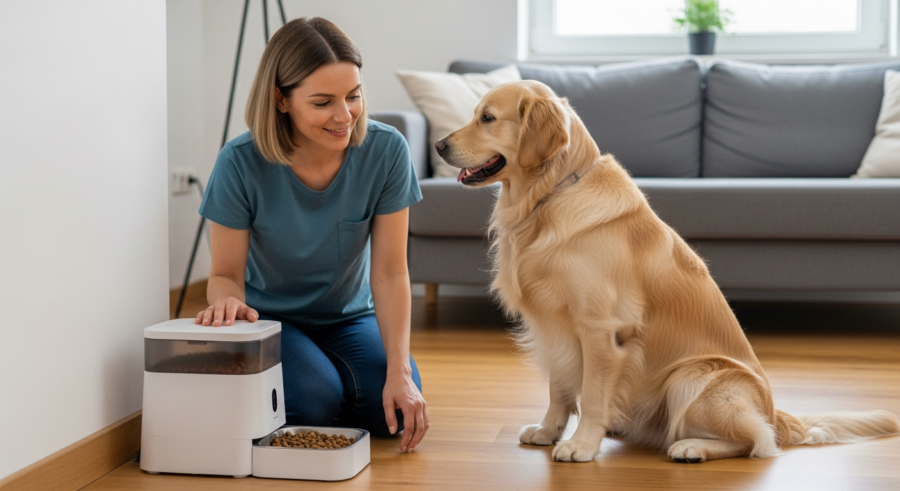
Selecting the perfect automated pet feeder is the first step toward seamless Home Assistant Pet Feeding Automation. There are several factors to consider to ensure you choose a feeder that meets your pet’s needs and integrates well with your smart home setup.
Consider the type of food your pet eats, the portion sizes required, and the feeder’s capacity. Some feeders are designed for dry food only, while others can handle wet food or a combination of both.
Smart features, such as Wi-Fi connectivity and app control, are essential for integration with Home Assistant. Look for feeders that offer open APIs or compatibility with popular smart home platforms to simplify the integration process.
Reliability and durability are also key considerations. Check customer reviews and ratings to gauge the feeder’s performance and longevity, ensuring it can withstand regular use and provide consistent feeding schedules.
The feeder’s cleaning requirements should also be taken into account. Some feeders have intricate designs that can be difficult to clean thoroughly, potentially leading to bacterial growth. Opt for models with easily removable and dishwasher-safe parts for convenient cleaning.
Consider the power source of the feeder. Some feeders run on batteries, while others require a direct power connection. Battery-powered feeders offer portability but require regular battery replacements, while wired feeders offer consistent power but limit placement options.
Think about the size and breed of your pet when choosing a feeder. Small pets may require smaller portion sizes and feeders with lower capacities, while larger pets may need larger portions and more robust feeders. Ensure the feeder is appropriately sized to prevent overeating or food waste.
Noise level is another factor to consider, especially if the feeder is located near sleeping areas. Some feeders can be quite noisy when dispensing food, which may disturb your pet or other members of the household. Look for models that are designed to operate quietly.
Integrating the Pet Feeder into Home Assistant
Once you’ve chosen your automated pet feeder, the next step is to integrate it into Home Assistant. This process typically involves connecting the feeder to your home Wi-Fi network and configuring it to communicate with Home Assistant.
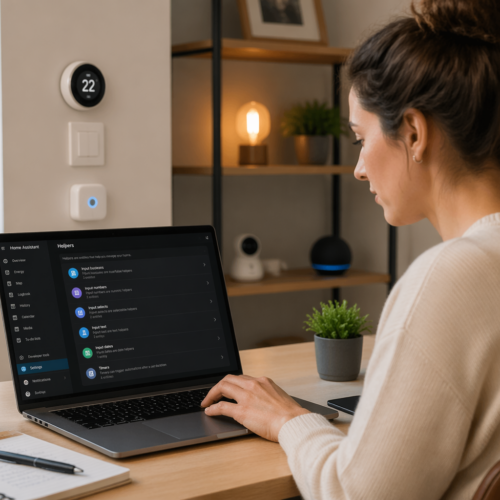
Start by installing the necessary integration or custom component in Home Assistant. Many popular pet feeder brands offer official integrations, while others may require community-developed custom components.
Follow the integration’s instructions to connect your pet feeder to Home Assistant. This usually involves providing your feeder’s credentials or API key, allowing Home Assistant to control and monitor the device.
Once connected, you can create entities in Home Assistant to represent the feeder’s various functions, such as dispensing food, checking food levels, and scheduling feedings. These entities can then be used in automations and scripts to create a fully automated pet feeding system.
Familiarize yourself with the integration’s configuration options. Some integrations allow you to customize the polling interval, which determines how frequently Home Assistant checks the feeder’s status. Adjusting this interval can help balance responsiveness and resource usage.
Consider using MQTT (Message Queuing Telemetry Transport) for a more robust and flexible integration. MQTT allows you to communicate with the pet feeder directly, bypassing the need for a cloud-based service. This can improve reliability and reduce latency.
Explore the use of Node-RED for creating more complex automations and integrations. Node-RED is a visual programming tool that allows you to connect different services and devices together in a seamless workflow. You can use it to create custom feeding schedules, monitor food levels, and trigger notifications based on various events.
Ensure your Home Assistant instance is running the latest version to benefit from the latest features and bug fixes. Keeping your system up-to-date can improve compatibility with your pet feeder and enhance the overall performance of your smart home setup.
Setting Up Scheduled Feeding Times
With the pet feeder integrated into Home Assistant, you can now set up scheduled feeding times to automate your pet’s meals. This ensures your pet is fed consistently, even when you’re away from home.
Use Home Assistant’s automation editor to create automations that trigger the pet feeder to dispense food at specific times. You can set multiple feeding times throughout the day, tailoring the schedule to your pet’s needs.
| Time | Day | Portion Size |
|---|---|---|
| 7:00 AM | Monday-Friday | 1/2 Cup |
| 7:30 AM | Saturday-Sunday | 1/2 Cup |
| 5:00 PM | Monday-Sunday | 1/4 Cup |
| 9:00 PM | Monday-Sunday | 1/4 Cup |
Consider using time patterns or triggers based on sunrise and sunset to adjust feeding times automatically throughout the year. This ensures your pet’s feeding schedule aligns with natural daylight hours.
Implement conditional logic in your automations to account for different scenarios. For example, you can create a condition that prevents the feeder from dispensing food if it detects that the bowl is already full. This can help prevent overfeeding and food waste.
Use variables in your automations to make your feeding schedules more flexible. For example, you can create a variable that represents the portion size and adjust it based on your pet’s weight or activity level. This allows you to easily customize the feeding schedule without having to modify the automation itself.
Consider using a calendar integration to create more complex feeding schedules. You can create events in your calendar to represent feeding times and use Home Assistant to trigger the pet feeder based on these events. This allows you to easily manage your pet’s feeding schedule alongside your other appointments and commitments.
Test your feeding schedules thoroughly to ensure they are working as expected. Monitor the pet feeder closely during the initial days to verify that it is dispensing food at the correct times and in the correct portions. Make any necessary adjustments to fine-tune the schedule to your pet’s needs.
Monitoring Food Levels
Keeping track of food levels in your automated pet feeder is crucial to avoid unexpected empty bowls. Many smart feeders come equipped with sensors that can monitor the amount of food remaining and provide alerts when it’s running low.
Integrate these sensors into Home Assistant to receive real-time updates on food levels. Set up automations to notify you when the food level drops below a certain threshold, reminding you to refill the feeder.
You can also create a dashboard in Home Assistant to visualize food levels and track consumption patterns over time. This helps you better understand your pet’s eating habits and plan your food purchases accordingly.
Consider using a smart scale to weigh the feeder periodically and update the food level in Home Assistant manually. This provides an extra layer of accuracy and ensures you never run out of food unexpectedly.
Implement a moving average filter to smooth out fluctuations in food level readings. This can help prevent false alarms caused by temporary dips in food levels due to settling or movement within the feeder.
Use the history stats integration to track how long it takes your pet to consume a certain amount of food. This can help you identify potential health problems, such as a decreased appetite or increased hunger.
Create a custom sensor in Home Assistant that calculates the estimated time remaining until the feeder runs out of food. This can provide a more intuitive and actionable representation of the food level data.
Consider using a camera to visually verify the food level in the feeder. You can set up an automation to take a snapshot of the food level periodically and send it to you via push notification. This provides a visual confirmation that the food level readings are accurate.
Receiving Notifications for Missed Feedings
Even with a well-configured automated system, unforeseen issues can sometimes prevent a scheduled feeding from occurring. Setting up notifications for missed feedings ensures you’re promptly alerted to any problems, allowing you to take corrective action.
Create automations in Home Assistant that monitor the pet feeder’s status and trigger notifications if a scheduled feeding is missed. You can receive these notifications via push notifications, SMS messages, or even voice alerts through smart speakers.
Include details in the notification, such as the time of the missed feeding and the reason for the failure, if available. This helps you quickly diagnose the problem and take appropriate steps to resolve it.
Consider setting up a backup feeding method in case of a prolonged outage or malfunction. This could involve a manual feeder or a trusted neighbor who can step in and feed your pet if needed.
Implement a retry mechanism in your automations to attempt to dispense food again if the initial attempt fails. This can help prevent missed feedings due to temporary glitches or network issues.
Use the persistent notifications integration to display missed feeding notifications in the Home Assistant interface. This ensures that you don’t miss any important alerts, even if you’re not actively monitoring your phone or other notification device.
Consider setting up a separate notification channel specifically for pet feeding alerts. This allows you to prioritize these notifications and ensure that you don’t miss them amidst other alerts from your smart home system.
Implement a heartbeat mechanism to periodically check the pet feeder’s status and ensure that it is still online and functioning correctly. This can help you identify potential issues before they lead to missed feedings.
Creating Custom Feeding Schedules
One of the most powerful features of Home Assistant Pet Feeding Automation is the ability to create custom feeding schedules tailored to your pet’s specific needs. This allows you to accommodate dietary restrictions, medical conditions, or simply your pet’s unique preferences.
Use Home Assistant’s scripting capabilities to create complex feeding schedules that vary based on the day of the week, time of year, or even your pet’s activity level. For example, you can reduce portion sizes on days when your pet is less active or increase them during periods of growth or increased energy expenditure.
- Adjust portion sizes based on pet’s weight
- Implement slow feeding modes for fast eaters
- Create separate schedules for multiple pets
- Integrate with activity trackers for dynamic adjustments
- Adjust feeding times based on sunrise/sunset
Integrate your pet’s activity tracker into Home Assistant to dynamically adjust feeding schedules based on their daily exercise. This ensures your pet receives the appropriate amount of food to maintain a healthy weight and energy level.
Use the Bayesian integration to create a predictive model of your pet’s feeding behavior. This allows you to anticipate when your pet is likely to be hungry and adjust the feeding schedule accordingly.
Consider using a voice assistant integration to allow you to control the pet feeder with voice commands. This can be particularly useful if you have mobility issues or if you simply want to adjust the feeding schedule without having to use your phone or computer.
Implement a feeding log to track your pet’s food intake over time. This can help you identify patterns in your pet’s eating habits and make adjustments to the feeding schedule as needed.
Use the template integration to create custom sensors that represent your pet’s daily caloric intake and nutritional needs. This allows you to easily monitor your pet’s diet and ensure that they are getting the right amount of nutrients.
Advanced Automation Ideas
Once you’ve mastered the basics of Home Assistant Pet Feeding Automation, you can explore more advanced automation ideas to further enhance your pet care system. These advanced features can add convenience, improve your pet’s health, and provide peace of mind.
Consider integrating a pet camera into your Home Assistant setup to monitor your pet during feeding times. This allows you to visually confirm that your pet is eating properly and identify any potential issues, such as food aggression or difficulty accessing the feeder.
Use machine learning algorithms to analyze your pet’s eating patterns and detect anomalies that may indicate health problems. This can help you identify potential issues early on and seek veterinary care before they become serious.
Integrate your pet feeder with other smart home devices, such as smart lights and thermostats, to create a more holistic pet care environment. For example, you can dim the lights during feeding times to create a more relaxing atmosphere or adjust the thermostat to ensure your pet is comfortable while they eat.
Implement facial recognition to identify different pets and automatically adjust feeding schedules based on which pet is present. This can be useful if you have multiple pets with different dietary needs.
Use the text-to-speech integration to announce feeding times to your pet. This can help your pet learn the feeding schedule and anticipate meal times.
Integrate your pet feeder with a smart water fountain to ensure that your pet always has access to fresh water. You can set up automations to refill the water fountain automatically or to notify you when the water level is low.
Consider using a geofencing integration to automatically adjust feeding schedules based on your location. For example, you can delay feeding times if you are running late or dispense an extra portion of food if you are away from home for an extended period.
Troubleshooting Common Issues
While Home Assistant Pet Feeding Automation can greatly simplify your life, you may encounter occasional issues that require troubleshooting. Here are some common problems and their solutions to help you keep your system running smoothly.
If your pet feeder is not dispensing food, check the food level, power supply, and any obstructions in the dispensing mechanism. Ensure the feeder is properly connected to your Wi-Fi network and that the Home Assistant integration is configured correctly.
If you’re not receiving notifications for missed feedings, verify that your notification settings are configured correctly in Home Assistant. Check that your phone or other notification device is properly connected to the internet and that you haven’t accidentally silenced notifications from Home Assistant.
If your pet is not eating from the automated feeder, try introducing it gradually by placing familiar food near the feeder or manually dispensing food into the bowl. Consult with your veterinarian or a pet behaviorist for additional tips on encouraging your pet to use the feeder.
Check the Home Assistant logs for any error messages related to the pet feeder integration. These logs can provide valuable clues about the cause of the problem.
Try restarting the Home Assistant instance. This can often resolve temporary glitches and restore communication with the pet feeder.
Update the firmware of the pet feeder to the latest version. This can fix bugs and improve compatibility with Home Assistant.
Contact the pet feeder manufacturer’s support team for assistance. They may be able to provide specific troubleshooting steps or identify hardware issues.
Ensuring Pet Safety and Well-being
While automating pet feeding can offer many benefits, it’s crucial to prioritize your pet’s safety and well-being. Here are some essential considerations to ensure your automated system is safe and effective.
Choose a pet feeder made from food-grade materials that are safe for your pet to consume. Avoid feeders with small parts that could be easily ingested, and regularly clean the feeder to prevent bacterial growth.
Monitor your pet’s weight and adjust portion sizes accordingly to prevent overfeeding or underfeeding. Consult with your veterinarian to determine the appropriate amount of food for your pet based on their age, breed, activity level, and health condition.
Supervise your pet during initial feeding sessions to ensure they are comfortable using the automated feeder. Be prepared to intervene if your pet experiences any difficulties or shows signs of distress.
Ensure the pet feeder is placed in a safe and accessible location. Avoid placing it near hazards such as electrical cords or sharp objects.
Regularly inspect the pet feeder for any signs of damage or wear. Replace any damaged parts immediately to prevent potential injuries.
Provide your pet with plenty of fresh water in addition to the automated feeding schedule. Dehydration can be a serious health risk for pets.
Consult with your veterinarian regularly to ensure that your pet is maintaining a healthy weight and receiving adequate nutrition. They can provide personalized recommendations based on your pet’s individual needs.
Conclusion
Home Assistant Pet Feeding Automation offers a convenient and reliable way to manage your pet’s feeding schedule, ensuring they receive consistent meals even when you’re not home. By choosing the right equipment, integrating it effectively with Home Assistant, and creating custom feeding schedules, you can create a smart pet care system that meets your pet’s unique needs.
Remember to prioritize your pet’s safety and well-being by monitoring their food levels, receiving notifications for missed feedings, and consulting with your veterinarian as needed. With a little planning and effort, you can enjoy the benefits of automated pet feeding while providing the best possible care for your furry friend. Home Assistant Pet Feeding Automation is a game changer.
Embrace the power of smart home technology to simplify your life and enhance your pet’s quality of life. Begin building your Home Assistant Pet Feeding Automation system today and experience the convenience and peace of mind it brings. Automating pet feeding is easier than ever.