
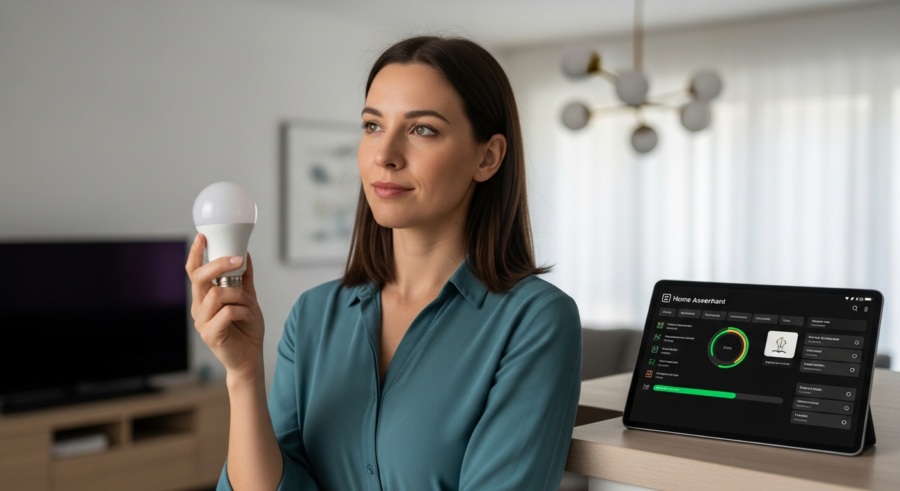
Smart home automation is rapidly gaining popularity, and one of the most accessible entry points is through smart light bulbs. The ability to control your home’s lighting remotely, schedule lighting changes, and even adjust the color temperature can significantly enhance your living experience. For those invested in a local-first approach, integrating smart light bulbs with Home Assistant offers unparalleled control and privacy.
This article will guide you through everything you need to know about choosing and setting up smart light bulbs with Home Assistant. We’ll explore the different types of smart light bulbs available, key features to consider, setup processes, automation ideas, energy efficiency, and troubleshooting tips, all with a focus on maintaining local control.
By the end, you’ll have a comprehensive understanding of how to leverage smart light bulbs with Home Assistant to create a truly intelligent and responsive home environment. Let’s get started and brighten up your smart home journey with the perfect smart light bulbs.
Types of Smart Light Bulbs: Wi-Fi, Zigbee, and Bluetooth
When it comes to smart light bulbs, you’ll primarily encounter three main types: Wi-Fi, Zigbee, and Bluetooth. Each type has its own advantages and disadvantages, making them suitable for different smart home setups and user preferences.
Understanding these differences is essential for making an informed decision that aligns with your smart home goals and Home Assistant configuration.
Wi-Fi smart light bulbs connect directly to your home’s Wi-Fi network, which means they don’t require a separate hub. This makes them easy to set up and control, as you can manage them directly from your smartphone or through Home Assistant. However, because they connect directly to your Wi-Fi, they can potentially strain your network if you have many devices.
Zigbee smart light bulbs, on the other hand, use a low-power wireless protocol that requires a Zigbee hub to communicate with your home network. This hub acts as a central point of control, reducing the load on your Wi-Fi network and often providing more reliable performance. Zigbee devices are known for their mesh networking capabilities, where each bulb can act as a repeater, extending the range of your network.
Bluetooth smart light bulbs connect directly to your smartphone or other Bluetooth-enabled devices. They are generally the simplest to set up, but their range is limited compared to Wi-Fi and Zigbee. Bluetooth bulbs are often a good choice for smaller areas or for those just starting out with smart home automation, but they may not be ideal for larger homes or complex setups with Home Assistant.
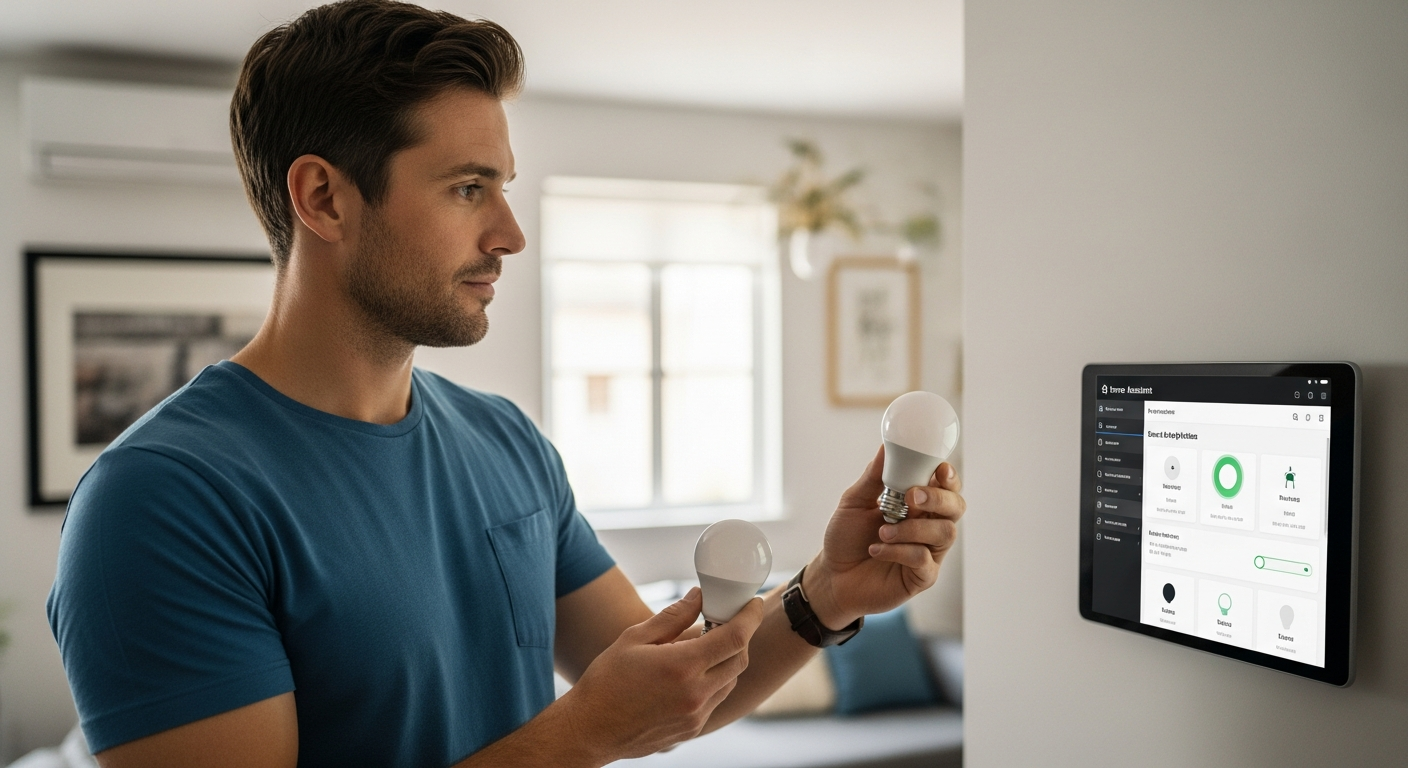
Ultimately, the best choice depends on your specific needs and the scale of your smart home. If you’re looking for simplicity and don’t mind the potential strain on your Wi-Fi, Wi-Fi bulbs are a good option. For larger homes or those prioritizing reliability and network efficiency, Zigbee bulbs are often the better choice.
Key Features to Consider When Buying Smart Bulbs
When shopping for smart light bulbs, it’s easy to get overwhelmed by the sheer number of options available. Beyond the connection type, several key features can significantly impact your experience and the overall functionality of your smart home setup.
Considering these features carefully will help you choose the right bulbs for your specific needs and ensure seamless integration with Home Assistant.
One of the most important factors is brightness, measured in lumens. Make sure to choose bulbs with sufficient lumens for the areas where they will be used, considering the size of the room and the desired ambiance. Dimmability is another crucial feature, allowing you to adjust the light intensity to create different moods and save energy.
Color temperature control is also highly desirable, enabling you to shift from warm, relaxing light in the evening to cool, energizing light during the day. Some smart light bulbs offer full color control, allowing you to choose from millions of colors to create custom scenes and effects. This can be particularly useful for setting the mood during parties or holidays.
Another important consideration is the bulb’s lifespan, usually measured in hours. Longer-lasting bulbs will save you money and reduce the hassle of frequent replacements. Look for bulbs with a good warranty, as this can be an indicator of quality and reliability.
Finally, consider the compatibility of the smart light bulbs with Home Assistant. While many bulbs are compatible, some may require specific integrations or custom configurations. Check the Home Assistant documentation and community forums to ensure that the bulbs you choose will work seamlessly with your setup and offer the features you need.
Smart Bulb Protocols Compared
Choosing the right smart light bulbs means understanding the landscape of communication protocols. Each protocol offers a different balance of range, reliability, and integration complexity.
This section breaks down the key differences between Wi-Fi, Zigbee, and Bluetooth, to help you make the best decision for your home automation needs.
| Protocol | Range | Reliability | Home Assistant Integration |
|---|---|---|---|
| Wi-Fi | Good (depends on router) | Moderate (susceptible to network congestion) | Direct integration, generally easy setup |
| Zigbee | Excellent (mesh network) | High (self-healing network) | Requires a Zigbee hub, but very stable |
| Bluetooth | Limited (short range) | Moderate (dependent on device connection) | Can be integrated, but less common for lighting |
| Thread | Excellent (mesh network, low power) | High (self-healing network) | Becoming more common, good for future-proofing |
Setting Up Smart Bulbs with Home Assistant
Once you’ve chosen the right smart light bulbs, the next step is to set them up with Home Assistant. The setup process can vary depending on the type of bulb and your existing Home Assistant configuration, but the general steps are similar.
This section provides a comprehensive guide to getting your smart bulbs connected and ready to automate.
For Wi-Fi bulbs, the first step is usually to connect the bulb to your home Wi-Fi network using the manufacturer’s app. Once the bulb is connected, you can then integrate it with Home Assistant using the appropriate integration. Many popular Wi-Fi bulb brands, such as TP-Link and Lifx, have dedicated Home Assistant integrations that can be easily installed through the Home Assistant interface.
For Zigbee bulbs, you’ll need a Zigbee hub that is compatible with Home Assistant, such as a Conbee II or a Sonoff Zigbee 3.0 USB Dongle Plus. Once you have the hub set up and connected to your Home Assistant instance, you can then pair your Zigbee bulbs with the hub using the Zigbee integration in Home Assistant. This usually involves putting the bulb into pairing mode and then initiating the pairing process through the Home Assistant interface.
Bluetooth bulbs can be a bit more challenging to integrate with Home Assistant, as they typically require a Bluetooth adapter connected to your Home Assistant server. Once you have the Bluetooth adapter set up, you can then use the Bluetooth integration in Home Assistant to discover and connect to your Bluetooth bulbs. Keep in mind that the range of Bluetooth can be limited, so you may need to position your Home Assistant server strategically to ensure reliable connectivity.
Regardless of the type of bulb, it’s always a good idea to consult the Home Assistant documentation and community forums for specific instructions and troubleshooting tips. With a little patience and the right information, you can easily get your smart light bulbs connected to Home Assistant and start enjoying the benefits of smart home automation.
Creating Automations with Smart Light Bulbs
The real power of smart light bulbs comes to life when you start creating automations with Home Assistant. Automations allow you to control your lights based on various triggers, such as time of day, sensor readings, or even your location.
This section will explore some creative and practical automation ideas to enhance your smart home experience.
One of the most common automations is to schedule your lights to turn on and off at specific times. For example, you can set your lights to turn on automatically at sunset and turn off at sunrise. This can help to improve your home’s security and create a more welcoming atmosphere.
You can also use sensor readings to trigger lighting changes. For instance, you can set your bathroom light to turn on automatically when a motion sensor detects movement, and then turn off after a certain period of inactivity. This can be particularly useful for saving energy and providing hands-free lighting.
Another popular automation is to adjust the color temperature of your lights based on the time of day. You can set your lights to emit a cool, energizing light in the morning and then gradually shift to a warm, relaxing light in the evening. This can help to improve your sleep quality and overall well-being.
Home Assistant also allows you to create more complex automations using multiple triggers and conditions. For example, you can set your lights to turn on automatically when you arrive home, but only if it’s after sunset. You can also create scenes that combine multiple lighting settings to create different moods for different activities, such as watching a movie or hosting a dinner party.
Home Assistant Smart Bulb Automation Ideas
Home Assistant offers a huge palette for automating your smart light bulbs. The possibilities are practically endless, only limited by your imagination and sensor data.
Here are a few ideas to get you started, ranging from simple time-based routines to more complex, context-aware lighting schemes.
- Simulate occupancy while away with randomized on/off times
- Gradually increase brightness in the morning for a gentle wake-up
- Change bulb color based on weather alerts (e.g., red for severe warnings)
- Dim lights automatically when the TV is turned on
- Use a button to cycle through predefined lighting scenes
- Turn on hallway lights when motion is detected at night
Energy Efficiency of Smart Light Bulbs
One of the often-overlooked benefits of smart light bulbs is their potential for energy savings. Compared to traditional incandescent bulbs, smart bulbs, especially LED models, consume significantly less energy.
This section will explore how smart light bulbs can contribute to a more energy-efficient home and reduce your electricity bill.
LED smart bulbs use up to 75% less energy than incandescent bulbs and can last up to 25 times longer. This means you’ll not only save money on your electricity bill but also reduce the frequency of bulb replacements. By switching to LED smart bulbs, you can significantly reduce your carbon footprint and contribute to a more sustainable environment.
Smart light bulbs also offer features that can further enhance energy efficiency. Dimmability allows you to reduce the light intensity when full brightness is not needed, saving even more energy. Automations can also be used to turn off lights automatically in unoccupied rooms, preventing energy waste.
Home Assistant provides tools for monitoring your energy consumption, allowing you to track how much energy your smart light bulbs are using and identify areas where you can further optimize your energy usage. By analyzing your energy data, you can fine-tune your automations and lighting schedules to maximize energy savings.
When choosing smart light bulbs, look for Energy Star certified models, as these bulbs meet strict energy efficiency guidelines set by the Environmental Protection Agency. Energy Star certified bulbs are guaranteed to save energy and provide long-lasting performance, making them a smart choice for your home and the environment. Investing in energy-efficient smart light bulbs is a win-win situation, saving you money and reducing your environmental impact.
Troubleshooting Common Smart Bulb Issues
Like any technology, smart light bulbs can sometimes encounter issues. Common problems include connectivity issues, unresponsive bulbs, and integration problems with Home Assistant.
This section provides troubleshooting tips to help you resolve common smart bulb issues and keep your smart home running smoothly.
If you’re experiencing connectivity issues, the first step is to check your Wi-Fi network or Zigbee hub. Make sure your router or hub is working properly and that the bulb is within range. Try restarting your router or hub to see if that resolves the issue. If you’re using Wi-Fi bulbs, make sure your Wi-Fi network is not overloaded with too many devices.
If a bulb is unresponsive, try turning it off and on again. This can sometimes reset the bulb and restore connectivity. If that doesn’t work, try removing the bulb from your Home Assistant configuration and then re-adding it. Make sure you have the latest firmware installed on your bulbs, as outdated firmware can sometimes cause issues.
If you’re having integration problems with Home Assistant, check the Home Assistant documentation and community forums for specific troubleshooting tips. Make sure you have the correct integration installed and that it is configured properly. Try restarting your Home Assistant server to see if that resolves the issue.
Another common issue is interference from other electronic devices. Try moving your smart bulbs away from other devices that may be causing interference, such as microwaves or cordless phones. If you’re still experiencing problems, try contacting the bulb manufacturer’s support team for assistance. With a little troubleshooting, you can usually resolve most common smart bulb issues and get your smart home back on track.
Maintaining Local Control
One of the primary reasons people choose Home Assistant is the desire for local control. This means your smart home devices operate independently of the cloud, enhancing privacy and reliability.
Ensuring your smart light bulbs maintain local control requires careful selection of devices and integrations.
Prioritize Zigbee or Z-Wave bulbs, as these protocols inherently support local control through a hub connected to your Home Assistant instance. Avoid Wi-Fi bulbs that rely heavily on cloud services for basic functionality. Even if they integrate with Home Assistant, they may become useless if the manufacturer’s cloud servers go down.
When choosing integrations, opt for those that communicate directly with the bulbs over your local network. Check the Home Assistant documentation and community forums to confirm that the integration supports local control and doesn’t require a cloud connection. Be wary of integrations that require you to create an account with the bulb manufacturer or that send data to external servers.
Regularly monitor your Home Assistant logs to identify any unexpected cloud connections or data transmissions. Use a firewall to block internet access for your smart bulbs, preventing them from communicating with external servers. By taking these precautions, you can ensure that your smart light bulbs remain under your control and that your smart home operates with the privacy and reliability you expect.
Conclusion
Smart light bulbs offer a fantastic way to enhance your home’s lighting and integrate seamlessly with Home Assistant for local-first smart home automation. By understanding the different types of bulbs, key features, setup processes, automation ideas, energy efficiency, and troubleshooting tips, you can create a truly intelligent and responsive home environment.
Embrace the power of smart lighting and transform your home into a brighter, more efficient, and more enjoyable space. With careful planning and the right choices, your smart light bulbs will become an integral part of your smart home ecosystem, all while maintaining the privacy and control you desire.