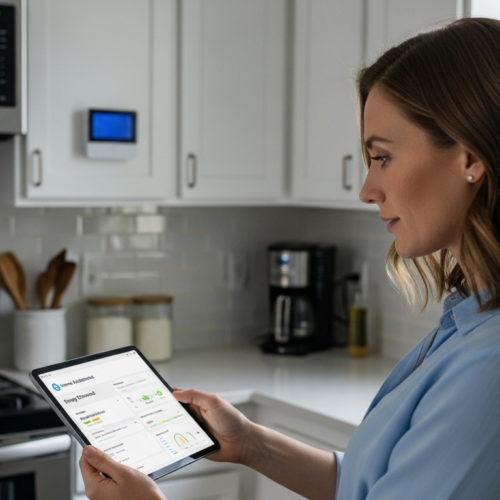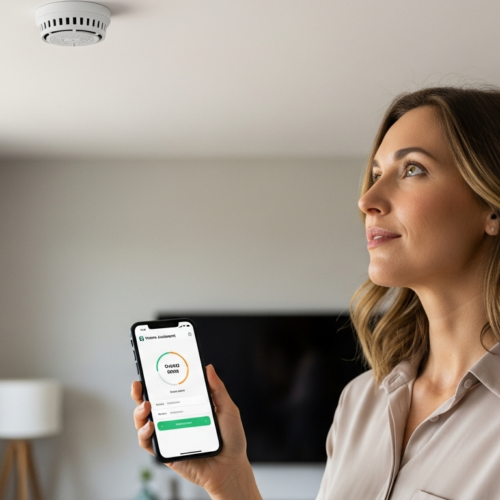


In today’s connected world, tracking our health has become increasingly convenient. Smart scales offer more than just weight measurements; they provide a comprehensive analysis of body composition, including metrics like body fat percentage, muscle mass, and bone density.
By integrating these smart scales with Home Assistant, you can centralize your health data and create powerful automations. This article will guide you through the process of using a smart scales home assistant setup to monitor your weight and health data effectively.
We’ll cover everything from choosing a compatible scale to visualizing your data and creating custom automations. Let’s get started on transforming your home into a hub for personal health management.
Benefits of Using Smart Scales
Smart scales provide a wealth of information beyond just your weight. They typically measure body fat percentage, muscle mass, water percentage, and bone density.
This detailed body composition analysis offers a more complete picture of your health than weight alone. Understanding these metrics can help you tailor your fitness and nutrition plans for better results.
Another significant benefit is the automatic data logging and synchronization with apps. Most smart scales connect to your smartphone via Bluetooth or Wi-Fi, automatically recording each measurement.
This eliminates the need for manual tracking, making it easier to monitor trends and progress over time. The data can then be exported or synced with other fitness apps, providing a holistic view of your health data.
Beyond the immediate data, smart scales can also motivate you to achieve your health goals. The consistent tracking and visualization of your progress can be a powerful incentive to stay on track with your diet and exercise regimen.
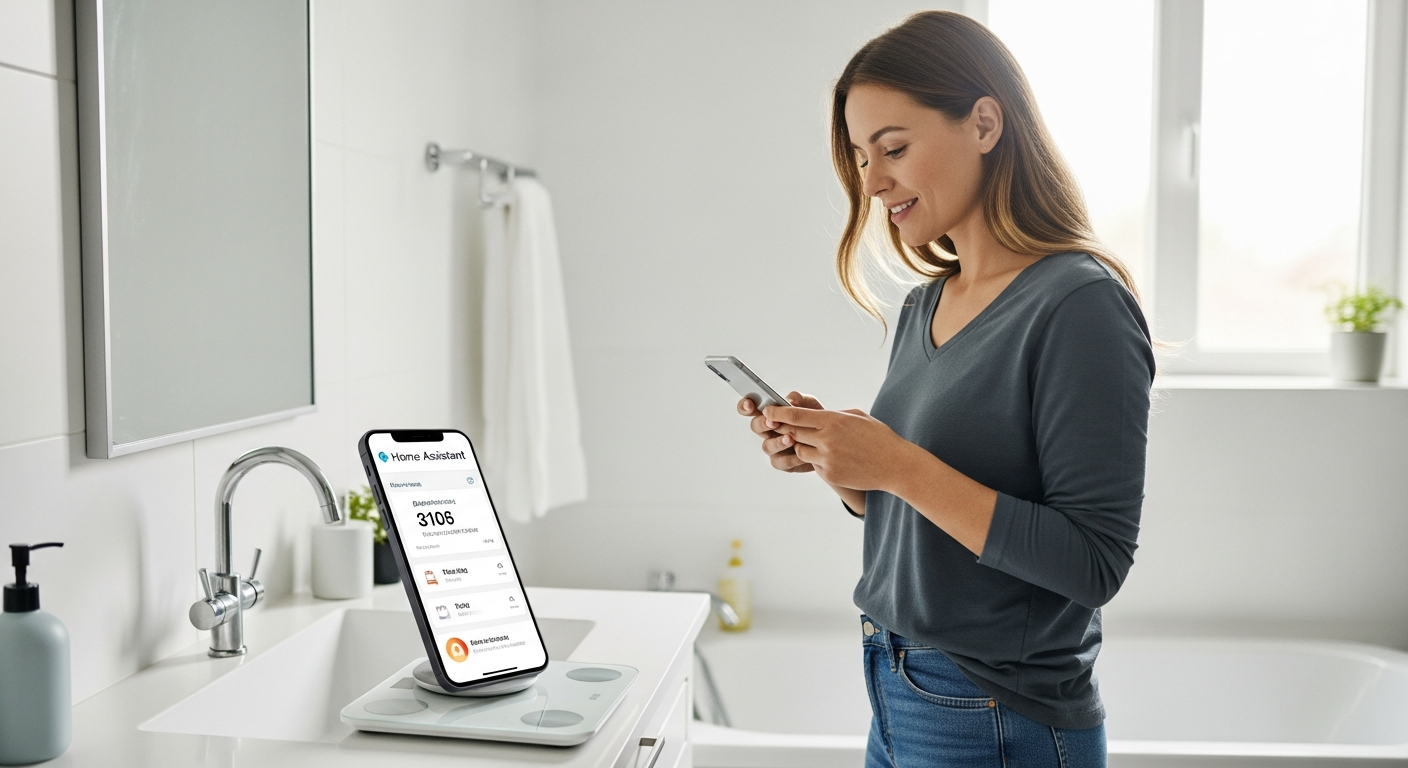
Furthermore, the integration with other fitness apps allows for a more comprehensive understanding of your overall health. Combining weight and body composition data with information from activity trackers and nutrition logs provides a complete picture of your health journey.
Smart scales can also be helpful for families, as they can store profiles for multiple users. This allows each family member to track their individual progress and goals without interfering with each other’s data.
Finally, the ability to share your data with healthcare professionals can be invaluable. This allows your doctor to gain a better understanding of your health and provide more personalized recommendations.
Choosing a Compatible Smart Scale
Selecting a compatible smart scale is the first step toward seamless integration with Home Assistant. Not all smart scales are created equal when it comes to compatibility and ease of integration.
Look for scales that offer local API access or support standard protocols like Bluetooth or Wi-Fi. Some popular brands known for their compatibility include Withings, Xiaomi, and certain models from FitTrack.
Consider the integration method supported by the scale. Some scales may require a cloud-based integration, while others can be directly connected to your local network.
Local integrations are generally preferred for privacy and reliability, as they don’t rely on external servers. Research the available Home Assistant integrations and community support for each scale before making a decision.
Before committing to a specific model, read reviews and check for community feedback regarding its integration with Home Assistant. User experiences can often highlight potential issues or limitations that aren’t immediately obvious.
Pay attention to the frequency of data updates. Some scales only transmit data once a day, while others provide real-time updates. Consider how often you want to monitor your weight and body composition when making your decision.
Think about the additional features offered by the scale, such as athlete mode or pregnancy mode. These features can provide more accurate readings for individuals with specific needs.
Finally, consider the overall design and build quality of the scale. Choose a scale that is durable, easy to use, and aesthetically pleasing. A well-designed scale will be more enjoyable to use and will last longer.
Integrating Your Smart Scale with Home Assistant
Integrating your smart scale with Home Assistant involves several steps, depending on the specific scale and integration method. This process typically involves configuring the scale to connect to your network and then setting up the Home Assistant integration.
For scales with local API access, you’ll usually need to obtain the scale’s IP address and API key. These details are then entered into the Home Assistant configuration file to establish a connection.
| Smart Scale Brand | Integration Method | Data Points Available |
|---|---|---|
| Withings | Cloud API, Local API (unofficial) | Weight, Body Fat, Muscle Mass, Bone Density, Water Percentage |
| Xiaomi Mi Scale | Bluetooth, Custom Component | Weight, Body Fat, BMI |
| FitTrack | Cloud API | Weight, Body Fat, Muscle Mass, Hydration, Bone Mass, BMI, BMR, Visceral Fat, Metabolic Age, Protein Rate, Body Age |
| Arboleaf | Bluetooth | Weight, Body Fat, Water Percentage, Muscle Mass, Bone Mass, BMR, BMI, Visceral Fat |
Once the integration is set up, Home Assistant will automatically pull data from the scale each time you weigh yourself. You can then use this data to create dashboards, automations, and other smart home features.
The specific steps for integrating your scale will vary depending on the brand and model. Consult the Home Assistant documentation and the scale’s user manual for detailed instructions.
You may need to install a custom component or integration to enable communication between the scale and Home Assistant. Follow the instructions carefully to avoid errors.
Once the integration is complete, verify that Home Assistant is receiving data from the scale. Check the Home Assistant logs for any error messages or warnings.
If you encounter any problems, consult the Home Assistant community forums for assistance. Many users have experience integrating various smart scales and can offer helpful advice.
Visualizing and Analyzing Health Data
Once your smart scale is integrated with Home Assistant, the real fun begins: visualizing and analyzing your health data. Home Assistant offers several tools to help you track your weight and body composition over time.
The built-in history graph card is a simple way to visualize your weight trends. You can configure the card to display your weight measurements over a specific period, such as the past week, month, or year.
For more advanced analysis, consider using the Grafana integration. Grafana is a powerful data visualization tool that allows you to create custom dashboards with interactive charts and graphs.
You can use Grafana to correlate your weight data with other metrics, such as sleep patterns, activity levels, and dietary habits. This can provide valuable insights into the factors that influence your weight and body composition.
Experiment with different chart types and visualizations to find the most effective way to represent your data. Line graphs are ideal for tracking trends over time, while bar charts can be used to compare different metrics.
Consider using color-coding to highlight specific data points or trends. For example, you could use green to indicate weight loss and red to indicate weight gain.
Add annotations to your charts to mark significant events, such as changes in your diet or exercise routine. This can help you understand how these events impact your weight and body composition.
Share your dashboards with family members or friends to encourage accountability and support. Visualizing your data together can be a powerful motivator for achieving your health goals.
Creating Automations Based on Weight and Body Composition
One of the most exciting aspects of integrating a smart scale with Home Assistant is the ability to create custom automations. You can set up automations to trigger based on changes in your weight or body composition.
For example, you could set up a notification to remind you to drink more water if your water percentage is below a certain threshold. Or, you could trigger a smart light to turn on when you step on the scale in the morning.
- Send a notification if weight increases by X pounds in a week
- Adjust smart lighting based on time of weigh-in
- Trigger a reminder to log food intake
- Start a workout playlist if muscle mass decreases
- Display a motivational message on a smart display
These are just a few examples; the possibilities are endless. By combining your weight and body composition data with other smart home devices, you can create a truly personalized health management system.
Consider using conditional logic to create more sophisticated automations. For example, you could send a different notification depending on whether your weight has increased or decreased.
Integrate your smart scale data with other smart home devices, such as smart thermostats or smart blinds. For example, you could adjust the thermostat based on your body fat percentage.
Use the Home Assistant app to receive notifications and control your automations from anywhere. This allows you to stay on top of your health goals even when you’re away from home.
Experiment with different automations to find what works best for you. The key is to create a system that is both effective and sustainable.
Privacy Considerations for Smart Scales
While smart scales offer numerous benefits, it’s important to consider the privacy implications of sharing your health data. Many smart scales rely on cloud-based services to store and process your data.
This means your data could be vulnerable to security breaches or misuse by the company. To protect your privacy, choose scales that offer local data storage or encryption.
Review the privacy policies of the scale manufacturer and any third-party services they use. Be aware of how your data is being collected, stored, and used.
Consider using a virtual private network (VPN) to encrypt your internet traffic and protect your data from eavesdropping. By taking these precautions, you can enjoy the benefits of smart scales while minimizing the risks to your privacy.
Opt for smart scales that prioritize data security and offer robust privacy settings. Look for certifications or endorsements from reputable privacy organizations.
Regularly review and update your privacy settings to ensure they align with your preferences. Be cautious about granting excessive permissions to the scale or its associated apps.
Consider using a strong, unique password for your smart scale account. Enable two-factor authentication for added security.
Be mindful of the data you share with third-party apps or services. Only connect your smart scale to apps that you trust and that have a clear need for your data.
Troubleshooting Common Integration Issues
Integrating smart scales with Home Assistant can sometimes present challenges. One common issue is connectivity problems, where the scale fails to connect to your network or Home Assistant.
Ensure your scale and Home Assistant device are on the same network and that the Wi-Fi signal is strong. Check the scale’s documentation for specific troubleshooting steps.
Another common issue is incorrect data readings. This could be due to calibration problems or incorrect configuration of the Home Assistant integration.
Try recalibrating the scale according to the manufacturer’s instructions. Verify that the correct units are being used in Home Assistant and that the data is being parsed correctly.
Double-check the API key or credentials you entered into Home Assistant. Ensure they are accurate and have not expired.
Restart your Home Assistant device and your smart scale. This can often resolve temporary connectivity issues.
Check the Home Assistant logs for any error messages or warnings related to the smart scale integration. These logs can provide valuable clues about the cause of the problem.
If you’re still having trouble, consult the Home Assistant community forums for assistance. Other users may have encountered the same issue and can offer helpful solutions.
Advanced Customization Options
For advanced users, Home Assistant offers a wide range of customization options to tailor your smart scale integration. You can create custom sensors to calculate derived metrics, such as body mass index (BMI) or lean body mass.
This allows you to track metrics that are not directly provided by the scale. You can also use the template sensor to combine data from multiple sources, such as your smart scale and activity tracker.
This can provide a more comprehensive view of your health and fitness. For example, you could create a sensor that tracks your daily calorie deficit based on your weight, activity level, and dietary intake.
You can also use the Node-RED integration to create complex automations and workflows. Node-RED is a visual programming tool that allows you to connect different devices and services together.
Explore the use of MQTT for real-time data streaming and integration with other systems. MQTT allows for lightweight and efficient communication between devices and applications.
Consider creating custom dashboards with advanced charting libraries, such as Chart.js or ApexCharts. These libraries offer more flexibility and customization options than the built-in Home Assistant charts.
Implement machine learning algorithms to predict future weight trends or identify potential health risks. This can help you proactively manage your health and prevent future problems.
Contribute your custom components and automations to the Home Assistant community. Sharing your work can help others benefit from your expertise and improve the overall smart home ecosystem.
Maintaining Your Smart Scale for Accurate Readings
To ensure accurate and consistent readings, it’s important to properly maintain your smart scale. Place the scale on a hard, level surface, avoiding carpets or uneven floors.
Weigh yourself at the same time each day, ideally in the morning after using the bathroom and before eating or drinking. This will minimize fluctuations due to hydration and digestion.
Clean the scale regularly with a soft, damp cloth. Avoid using harsh chemicals or abrasive cleaners, as these could damage the sensors.
Replace the batteries as needed to ensure the scale is functioning properly. If you notice any inconsistencies or errors in the readings, consult the scale’s documentation for troubleshooting tips.
Avoid dropping or subjecting the scale to excessive force. This can damage the internal components and affect the accuracy of the readings.
Store the scale in a dry, temperature-controlled environment. Extreme temperatures or humidity can damage the sensors.
If you move the scale to a different location, recalibrate it before using it. This will ensure accurate readings in the new environment.
Periodically check the scale’s calibration by comparing it to a known weight. If the readings are consistently inaccurate, consider replacing the scale.
Exploring Community Integrations and Custom Components
The Home Assistant community is a valuable resource for finding integrations and custom components for smart scales. Many community members have developed integrations for scales that are not officially supported by Home Assistant.
These integrations can often be found on GitHub or the Home Assistant forums. Before installing a community integration, be sure to review the code and documentation to ensure it is safe and reliable.
You can also create your own custom components if you have programming experience. This allows you to tailor the integration to your specific needs and preferences.
Custom components can be used to add new features, improve performance, or integrate with other services. Sharing your custom components with the community can also help others benefit from your work.
Participate in the Home Assistant community forums to ask questions and share your experiences. This can help you learn from others and contribute to the collective knowledge base.
Explore the Home Assistant custom component repository for a wide range of community-developed integrations. Be sure to read the reviews and ratings before installing any component.
Consider contributing to the development of existing community integrations. This can help improve the quality and functionality of these integrations for everyone.
Be aware of the potential security risks associated with installing custom components. Only install components from trusted sources and regularly update them to address any security vulnerabilities.
Expanding Your Smart Home Health Ecosystem
Integrating your smart scale with Home Assistant is just the beginning of creating a comprehensive smart home health ecosystem. Consider adding other health-related devices, such as activity trackers, sleep monitors, and blood pressure monitors.
By centralizing all of your health data in Home Assistant, you can gain a more holistic view of your well-being. You can also create automations that take into account multiple factors, such as your weight, activity level, and sleep quality.
For example, you could set up an automation to adjust your thermostat based on your sleep patterns and activity level. Or, you could trigger a reminder to take your medication based on your blood pressure readings.
The possibilities are endless when it comes to creating a smart home that supports your health and well-being. By leveraging the power of Home Assistant and a variety of health-related devices, you can create a truly personalized and proactive health management system.
Integrate your smart home health ecosystem with your healthcare provider. This can allow your doctor to remotely monitor your health data and provide more personalized care.
Use your smart home health ecosystem to track your progress towards your health goals. This can help you stay motivated and on track.
Share your health data with family members or friends to encourage accountability and support. This can make it easier to achieve your health goals.
Be mindful of the privacy implications of sharing your health data. Only share data with people you trust and who have a clear need for it.
Conclusion
Integrating smart scales with Home Assistant offers a powerful way to track and manage your health data. By choosing a compatible scale, setting up the integration, and creating custom automations, you can transform your home into a hub for personal health management.
Remember to consider privacy implications and take steps to protect your data. With a little effort, you can harness the power of smart scales and Home Assistant to improve your health and well-being.
The journey towards a smarter and healthier home is an ongoing process. Continuously explore new integrations, automations, and customization options to optimize your health management system.
Embrace the power of data-driven insights to make informed decisions about your health and lifestyle. By combining smart technology with personal responsibility, you can achieve your health goals and live a happier, healthier life.